Introduction
For everyday work I use Apple’s Magic Keyboard. It is thin, has a light keystroke feel, is quiet, and as a tool I have no complaints.
But there is one moment where I feel something is missing. It is the sound when typing. The crisp keystroke sound of a mechanical keyboard lifts my mood at work just by listening to it. That said, hammering a mechanical keyboard in a quiet office or cafe feels awkward, and I do not want to let go of the Magic Keyboard’s comfort either.
The app that grants that selfish wish of “keep the keystroke feel of the Magic Keyboard, but I want just the sound of a mechanical keyboard” is Klack, the Mac app I introduce this time.
About Klack
Klack is a Mac app that plays a mechanical keyboard typing sound every time you press a key. What you are actually typing on is the quiet Magic Keyboard, yet the mechanical keyboard sound comes out of the Mac’s speakers. That is the mechanism.
Since you are not physically replacing the keyboard, the keystroke feel stays your usual Magic Keyboard. And yet only the sound reaching your ears becomes a mechanical keyboard. This “best of both worlds” is the app’s appeal.
Launch the app and grant permissions, and after that just typing as usual starts producing the sound. Basic settings like auto-launch at login, menu bar display, and a hotkey for calling it up are gathered in the General tab, and no difficult configuration is needed.
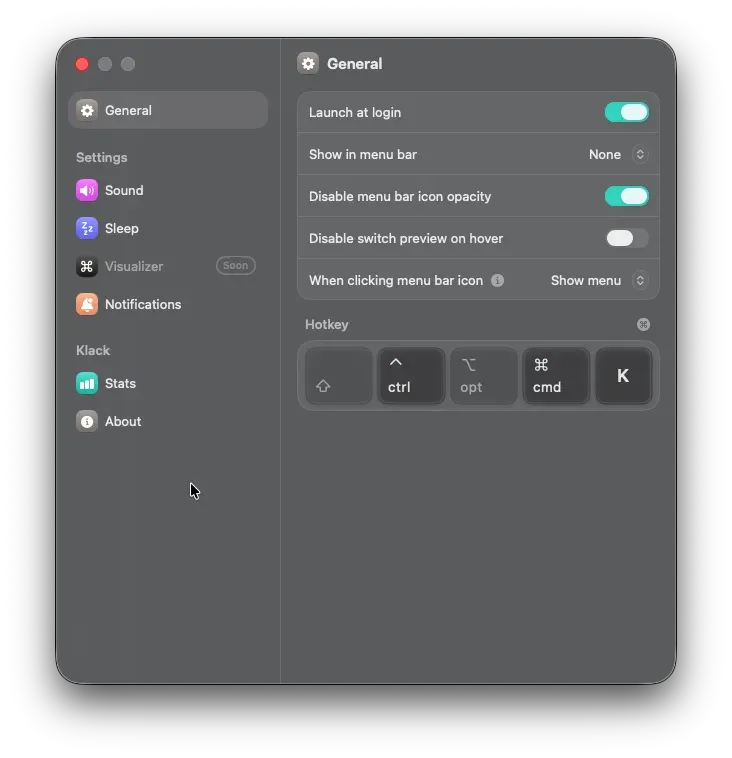
You can also choose where the sound plays. By default it plays from the system output (the Mac’s built-in speakers), so as described later the sound reaches your ears even while wearing earphones.
Actually Using It
Once I actually used it, my mood lifted more than I imagined. When writing text or code, the clatter comes back in sync with my finger movements, so my hands move along with the rhythm.
A quietly pleasing point is that it is properly audible even while wearing earphones. Since the sound plays from the Mac itself, even while working and listening to music with earphones, the typing sound reaches my ears through the surrounding air. It does not interfere with background music, and only the keystroke sound faintly overlaps, which made it easier to get immersed in work.
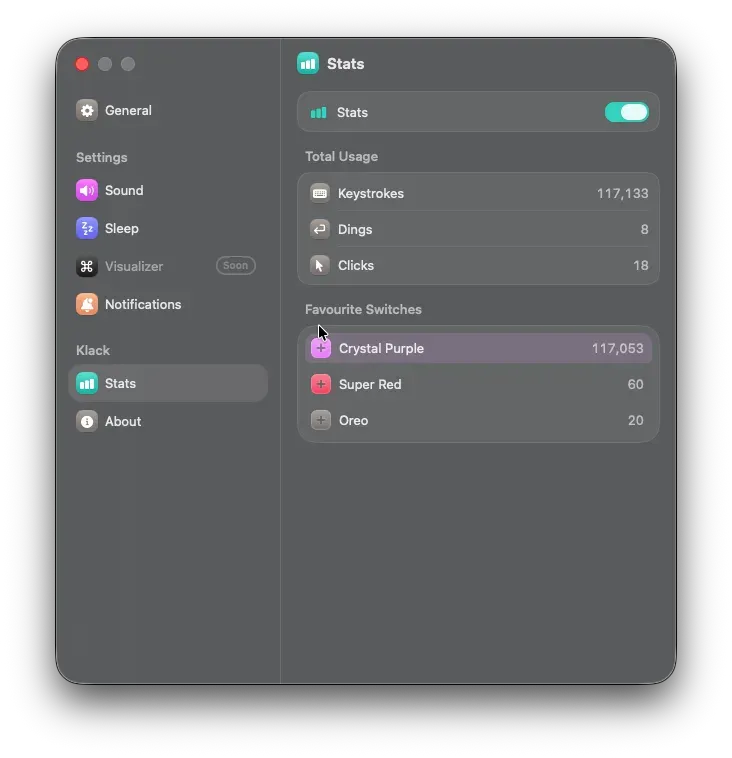
Using it for a while also lets you see how much you have been typing. The Stats tab shows Keystrokes (total keystrokes) and a ranking of the switches you use most. Before I knew it I had hit over 100,000, which gave a little sense of accomplishment.
Customization Features
Klack is not just an app that plays sound; you can finely customize the sound it plays.
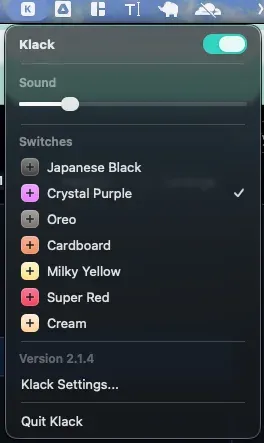
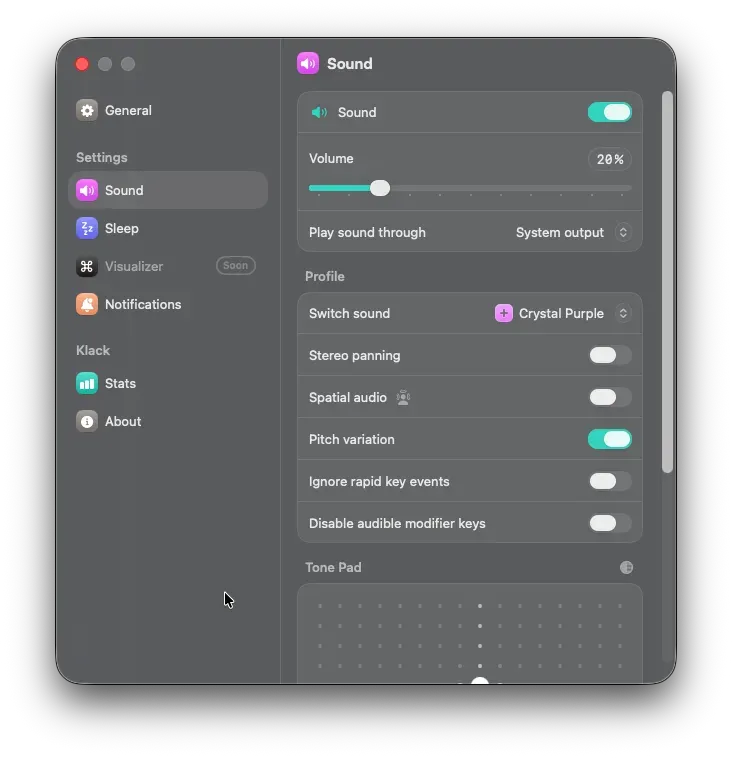
Mechanical keyboard sound changes greatly depending on the switch used. Klack also comes with the sounds of multiple switches like Crystal Purple, Super Red, Oreo, Japanese Black, Milky Yellow, and Cream, and switching them dramatically changes the impression of the keystroke sound. There is the fun of choosing by the day’s mood, from a hard clicky sound to a quiet clacking one.
Sound settings can be tuned even more finely in the Sound tab. Volume, pitch variation, stereo pan, spatial audio, and so on, there is no end to it once you get particular. While searching for the sound that fits me, I end up trying various settings without meaning to.
Price and Value
Klack is a paid app, and the price is currently around 800 yen. Since it is not free you might hesitate for a moment, but a big point is that it is a one-time purchase, not a subscription. Buy it once and you can use it forever, so for an engineer who types every day, I feel it is an investment that easily pays for itself.
Even just lifting the mood of daily work a little should, in the long run, contribute to productivity. Considering that for about the price of a cup of coffee, your daily work time becomes a bit more enjoyable, it is a pretty decent purchase.
Closing
Klack is not a tool that dramatically changes productivity. But for an engineer who faces the keyboard for long hours every day, lifting the mood of that time just a little is, surprisingly, not to be underestimated in value.
You can keep the comfort of the Magic Keyboard as-is and add just the sound of a mechanical keyboard. As that kind of luxurious option, it is an app I recommend to engineers who want a mood boost.
Reference Link
 https://apps.apple.com/us/app/klack/id6446206067?mt=12